Guide
Build your programme library
Keep every game, hike, craft and service activity in one reusable place.
3 min read
- 1
Open Programmes
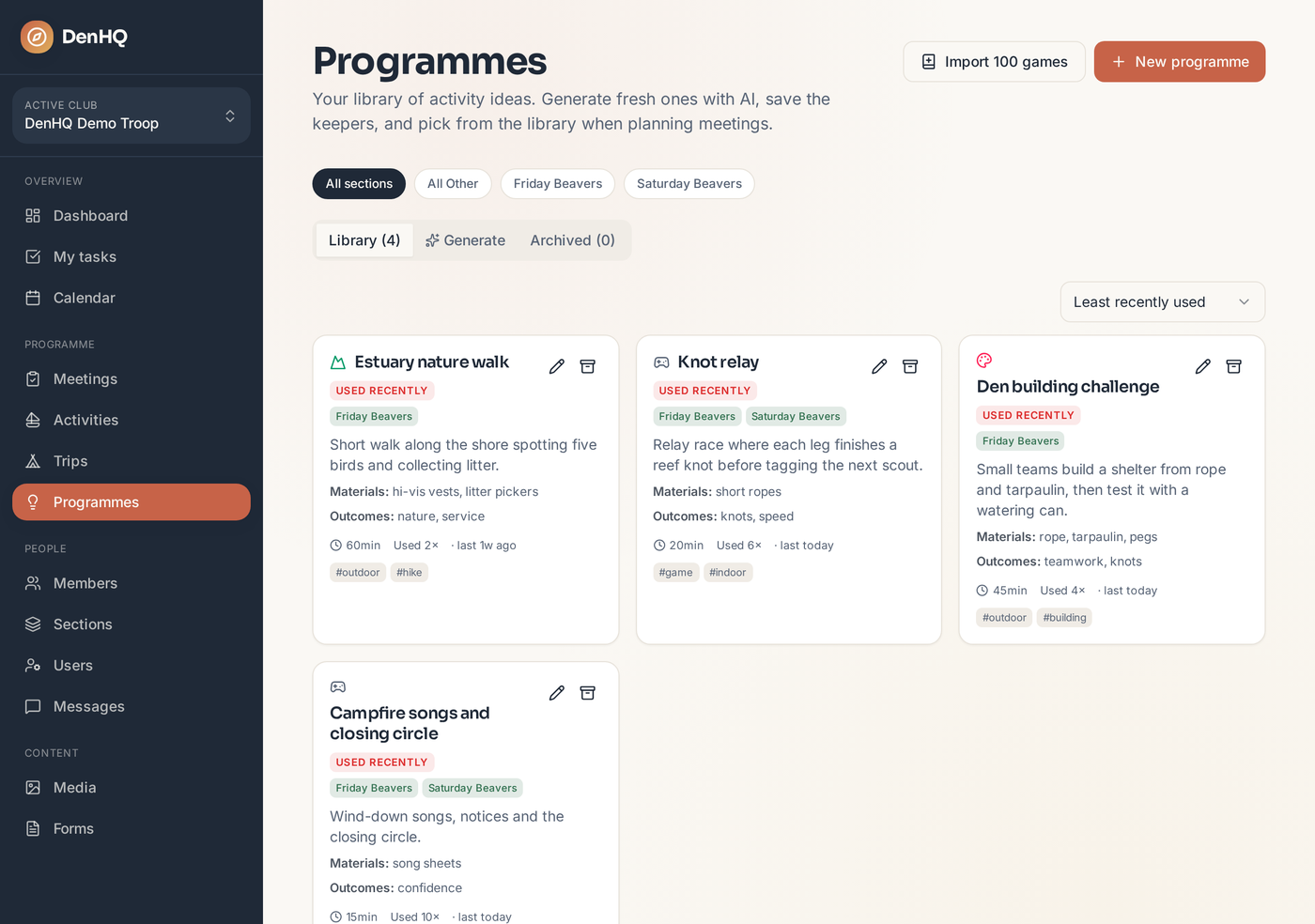
Programmes in the sidebar is your club-wide library. Filter by section group or by type — game, hike, craft, service or outing.
- 2
Add an activity
Give it a title, a short description, a duration, and the kit and learning outcomes. Tag it so it turns up in searches later.
- 3
Expand it into a full plan
Open any activity and generate a full run sheet — set-up, timings, safety notes and variations — so another scouter can run it cold.
- 4
Link it to the right sections
Activities are linked to section groups, so the picker on a Friday Beavers night only offers what suits that group.