Guide
Create or edit a meeting
Add a one-off session, a scouters meeting, or fix the details of an existing one.
2 min read
- 1
Tap New meeting
From Meetings, tap New meeting in the top right.
- 2
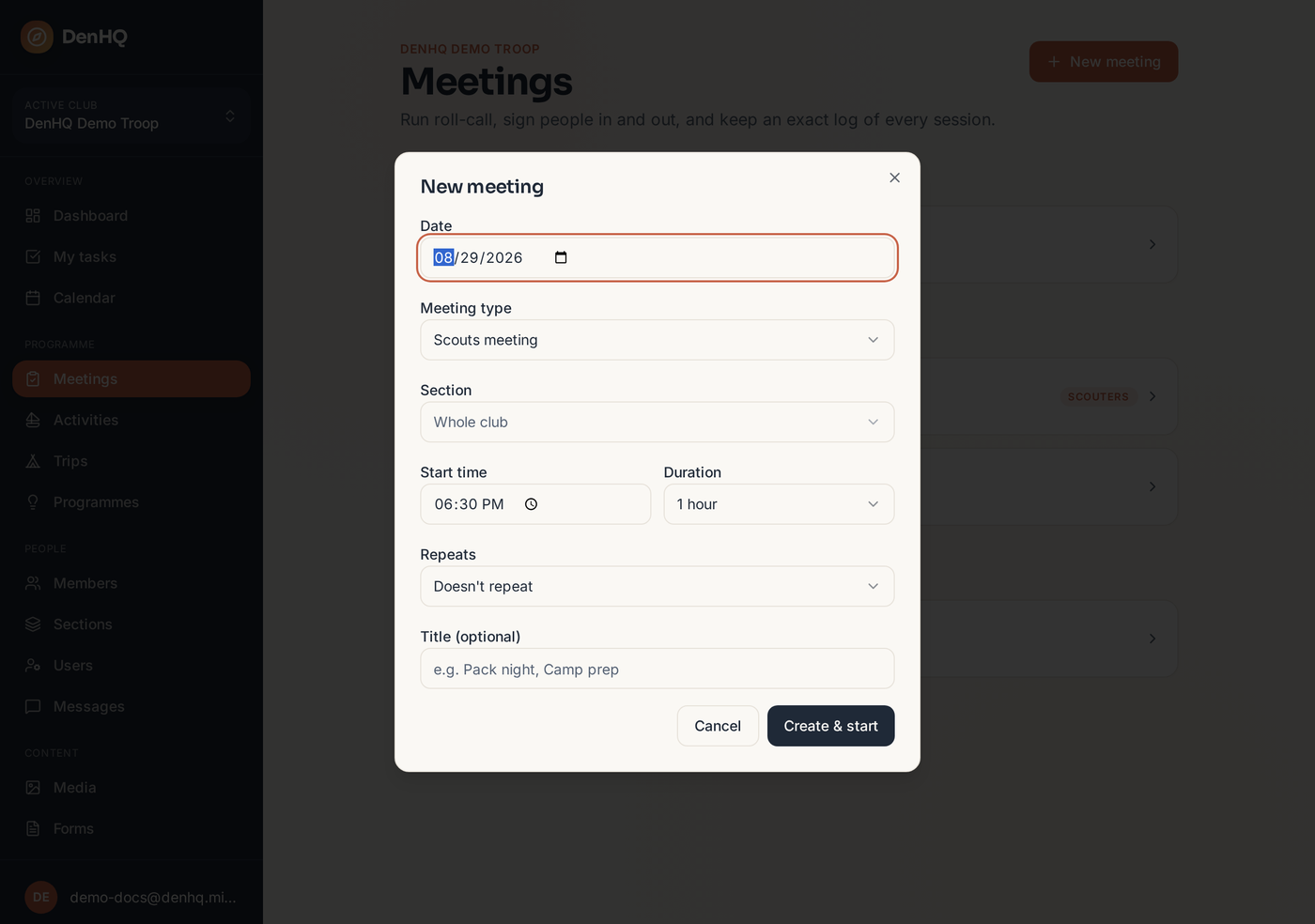
Choose the type
A Scouts meeting takes attendance for the young people in the section. A Scouters meeting is for the leadership team — no scouts are added, and you can record the team's own attendance instead.
- 3
Set section, date and time
Pick the section group (for example Friday Beavers rather than just Beavers) so the right members and programmes load.
- 4
Edit later if plans change
Open the meeting and tap Edit in the header to change the date, time, title, type or section.